The addon reads the dialogue
Quest text, NPC conversations, and world speech are sent through a small colored data square in your game window.

A companion app for WoW Forever
Give Azeroth a voice. Hear quests, conversations, and the world around you with NPC voices generated right on your computer.
Download Forever DubbedAvailable for Windows & Apple Silicon Macs
A little magic. All on your machine.
The addon and desktop app work together. No cloud speech service is needed.
Quest text, NPC conversations, and world speech are sent through a small colored data square in your game window.
Forever Dubbed captures your game window and decodes the square into dialogue and available NPC identity information.
Local speech generation gives NPCs race and gender voices. A narrator reads emotes and descriptive text inside angle brackets.
About that little square: keep it unobstructed while dialogue is sent. It hides automatically after sending. Use /fdb unlock to reposition it, then /fdb lock.
Set the tone.
Let every conversation play out, or just listen to the parts you care about.
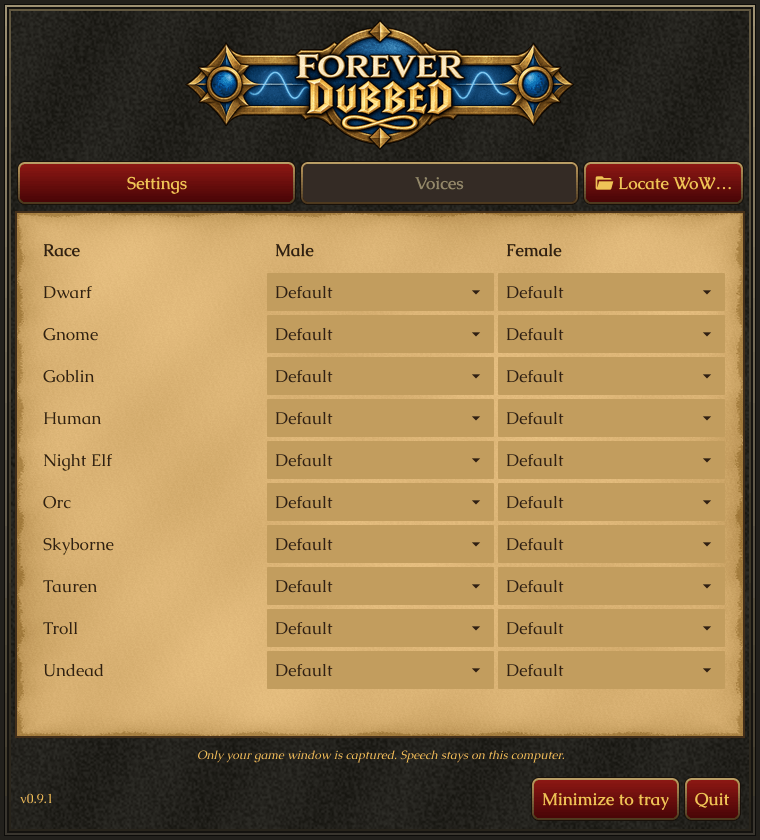
Pick Default, Narrator, or None for each race and gender. When a voice can’t be resolved, the narrator takes over.
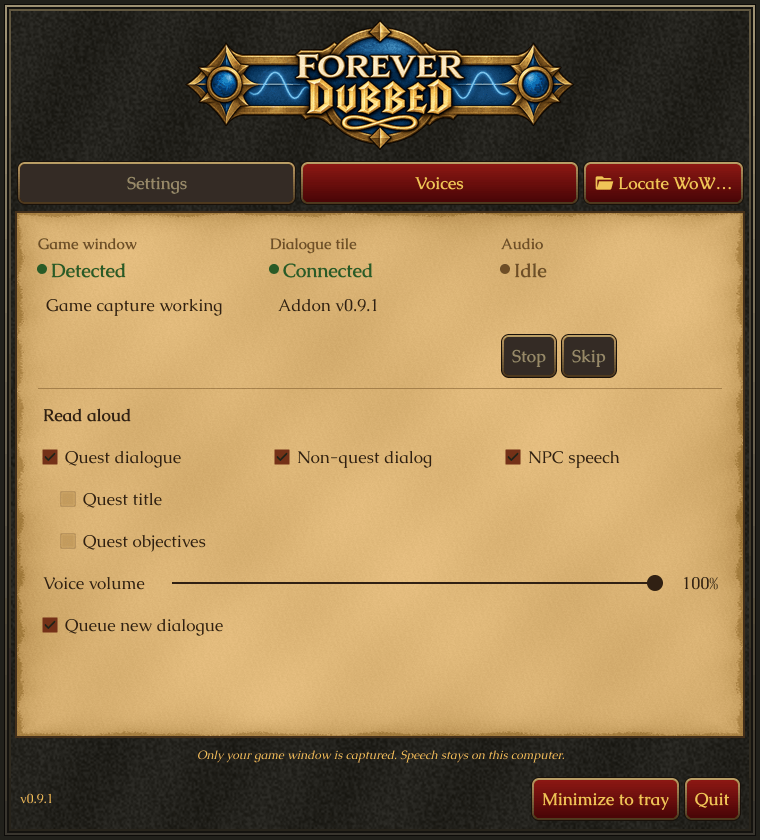
Dialogue queues by default. Skip jumps to the next dialog; Stop cancels playback and clears the queue.
Choose quest dialogue, non-quest dialogue, or ambient NPC speech. Add quest titles and objectives, or leave them off.
Adjust voice volume, then minimize the companion app to the tray while you play.
Ready for your next quest?
Choose the download for your computer. The WoW addon is included.
Windows 10 (1903+) or 11 · 64-bit
Download Windows installerRun the installer, then open Forever Dubbed from the Start menu.
Prefer a portable ZIP?macOS 14+ · Apple Silicon (M-series)
Download macOS DMGOpen the disk image and drag ForeverDubbed.app into Applications.
Requires an Apple Silicon Mac; not an Intel build.Quest accepted
No manual addon installation needed. The companion app takes care of installing and updating it.
Read the full setup guide →On macOS, allow Screen Recording in System Settings → Privacy & Security, then quit and reopen the app.
The app looks in the usual WoW Forever locations. If prompted, use Locate WoW… to select WowB.exe on Windows or World of Warcraft Beta.app on macOS.
Follow the notice: restart WoW after a fresh addon install, or type /reload after an update.
Enable the addon, use windowed or borderless mode, and type /fdb test. Look for Connected in the companion app and listen for the test.
Before you set off
No. Dialogue passes from the addon to the companion app through the on-screen data square, and speech is generated locally. The app uses the internet to check for and download app updates.
Use /fdb skip to advance to the next queued line, or /fdb stop to stop playback and clear the queue. Left-click the minimap button to Skip or right-click to Stop. You can also assign keys under Key Bindings → ForeverDubbed.
Make sure the addon is enabled, WoW is in windowed or borderless mode, and the full data square is visible. Keep your pointer off it. Try /fdb test or /fdb cell 3. On macOS, check Screen Recording permission.
On Windows, run the companion app as administrator and retry. You can also manually copy the bundled ForeverDubbed addon folder into the exact Interface/AddOns location shown in the error banner. See the setup guide for manual installation.
Forever Dubbed is made for WoW Forever. Desktop downloads are available for Windows 10 (1903+) / 11 on 64-bit PCs, and macOS 14+ on Apple Silicon Macs. There is no Intel Mac or Linux download listed here.